Amazon Coupons
Vipon > V Show > Screen Printing for Beginners: A Simple Guide to Getting Started Share great deals & products and save together.

Screen Printing for Beginners: A Simple Guide to Getting Started

2024-11-20 02:07:56
Report

Screen printing is a versatile and popular printing method used to create designs on a variety of materials such as T-shirts, posters, bags, and more. Whether you are a hobbyist or looking to start a small printing business, screen printing for beginners can seem overwhelming at first. However, with the right tools, knowledge, and practice, you can master this technique and create high-quality, durable prints.

In this guide, we’ll break down the basics of screen printing, from setting up your workspace to creating your first print, ensuring that you understand each step of the process.


What is Screen Printing?

Screen printing, also known as silkscreen printing, involves transferring ink onto a surface (like fabric or paper) through a mesh screen. The areas where ink should not pass through are blocked off with a stencil, and the ink is forced through the open areas of the screen using a squeegee. This method is popular for creating vibrant, long-lasting designs, especially for T-shirts and other fabric-based products.

Essential Tools and Materials for Beginners

To get started with screen printing, you'll need some basic tools and materials. Here’s what you’ll need:

  1. Screen Printing Frame: The frame is the foundation of the screen printing process. It is usually made of wood or metal and has mesh stretched tightly across it. This mesh allows ink to pass through in the areas where the stencil is not blocking it.

  2. Mesh Screen: The mesh screen is stretched across the frame and is where the image or design will be applied. The mesh count (the number of threads per inch) determines the level of detail you can print. A lower mesh count is better for thicker inks, while a higher mesh count is better for detailed designs.

  3. Emulsion: Emulsion is a light-sensitive substance applied to the screen to create the stencil. When exposed to light, the emulsion hardens, leaving the areas of the screen where the design will be printed soft. The unexposed areas are washed away to create a stencil of your design.

  4. Squeegee: A squeegee is a rubber tool used to push the ink through the mesh screen and onto the printing surface. You’ll need a squeegee that matches the size of your screen and design.

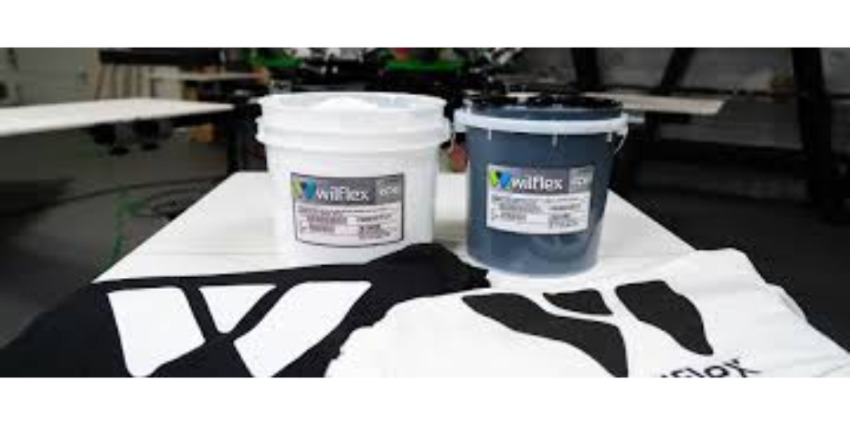
  5. Ink: Screen printing inks are specially formulated for the screen printing process. The most commonly used inks are plastisol inks for fabric printing. These inks sit on top of the fabric and need to be heat-cured for durability. Water-based inks are another option, particularly for a softer finish.

  6. Transparency Film: You’ll need transparency film to print your design. The design is printed onto this film using a laser printer, which will later be placed on the screen for exposure.

  7. Light Exposure Unit: This tool exposes your screen to UV light, which hardens the emulsion except for the areas blocked by your design on the transparency film.

  8. Heat Source (Flash Cure or Conveyor Dryer): After printing, the ink needs to be cured to bond properly with the fabric. A flash cure unit or conveyor dryer applies the heat necessary for curing plastisol ink.

The Step-by-Step Process for Screen Printing

Step 1: Create Your Design

Start by designing your image using graphic design software such as Adobe Illustrator or CorelDRAW. It's best to keep your first design simple, especially when you're just getting started. Make sure to save the design in black and white, as you'll be printing it on a transparency film. The design needs to be high contrast and high resolution for the best results.

Step 2: Prepare the Screen

Once your design is ready, it’s time to coat the screen with emulsion. Using a scoop coater, apply a thin, even layer of emulsion to both sides of the screen. Make sure to work in a dimly lit room, as the emulsion is sensitive to light.

Allow the screen to dry completely in a dark space. This drying process typically takes several hours, depending on the humidity and temperature of the environment.

Step 3: Expose the Screen

Once the screen is dry, place your transparency film with the design on it against the screen. Expose the screen to light using an exposure unit or a strong light source for a set amount of time. The emulsion will harden in the areas exposed to light, and the areas covered by the design will remain soft and wash away, leaving a stencil of your design.

Step 4: Wash the Screen

After exposure, rinse the screen with water. The areas of the emulsion that were covered by your design will wash away, leaving a clear stencil. Be sure to use a gentle stream of water to avoid damaging the screen. Once the screen is dry, your stencil is ready for printing.

Step 5: Set Up for Printing

Now, position the screen on your material (such as a T-shirt, poster, or fabric). If you're printing on fabric, make sure the shirt is securely placed on a flat surface or platen.

Place a piece of cardboard or a similar object inside the shirt to prevent ink from bleeding through to the back of the fabric. Align the screen carefully to ensure your design will be placed in the correct area.

Step 6: Print the Design

Apply the ink at the top of the screen and use the squeegee to pull it across the screen. Make sure to apply even pressure to ensure the ink goes through the open areas of the mesh. If you're using multiple colors, allow each layer to dry before printing the next one.

Step 7: Cure the Ink

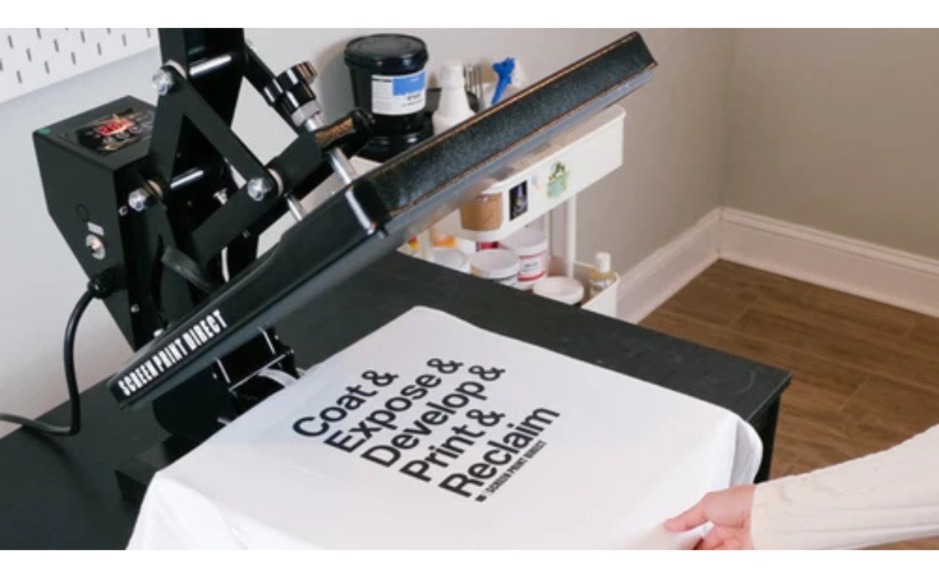
Once you’ve printed your design, it’s time to cure the ink. Plastisol ink needs to be heated to a temperature of about 320°F (160°C) to fully set and bond with the fabric. Use a flash cure unit or conveyor dryer to apply heat to the print.

Step 8: Clean Up

After printing, be sure to clean your screen and tools immediately. Use water to clean off any remaining ink and emulsion. You can reuse your screen for future designs by re-coating it with fresh emulsion.


Tips for Beginners

  • Start with Simple Designs: As a beginner, it's best to keep your designs simple with fewer colors. Multi-color designs require more precision and can be challenging to line up.
  • Practice: Don’t be discouraged if your first few prints don’t come out perfect. Practice is key to mastering screen printing.
  • Use High-Quality Materials: Invest in quality inks, emulsion, and screens to ensure that your prints are of professional quality.
  • Control Your Environment: Screen printing works best in a clean, dust-free, and well-ventilated space. Proper temperature and humidity levels will help you achieve the best results.

Conclusion

Screen printing for beginners may seem complex at first, but by following the steps and practicing regularly, you’ll soon be able to produce professional-looking prints. It’s a rewarding process that allows you to create custom designs on a variety of surfaces. Whether you’re printing T-shirts for personal use or starting a small business, screen print direct offers endless possibilities. With the right tools and techniques, you can unlock your creative potential and produce high-quality prints in no time.

Screen Printing for Beginners: A Simple Guide to Getting Started

379.9k
2024-11-20 02:07:56

Screen printing is a versatile and popular printing method used to create designs on a variety of materials such as T-shirts, posters, bags, and more. Whether you are a hobbyist or looking to start a small printing business, screen printing for beginners can seem overwhelming at first. However, with the right tools, knowledge, and practice, you can master this technique and create high-quality, durable prints.

In this guide, we’ll break down the basics of screen printing, from setting up your workspace to creating your first print, ensuring that you understand each step of the process.


What is Screen Printing?

Screen printing, also known as silkscreen printing, involves transferring ink onto a surface (like fabric or paper) through a mesh screen. The areas where ink should not pass through are blocked off with a stencil, and the ink is forced through the open areas of the screen using a squeegee. This method is popular for creating vibrant, long-lasting designs, especially for T-shirts and other fabric-based products.

Essential Tools and Materials for Beginners

To get started with screen printing, you'll need some basic tools and materials. Here’s what you’ll need:

  1. Screen Printing Frame: The frame is the foundation of the screen printing process. It is usually made of wood or metal and has mesh stretched tightly across it. This mesh allows ink to pass through in the areas where the stencil is not blocking it.

  2. Mesh Screen: The mesh screen is stretched across the frame and is where the image or design will be applied. The mesh count (the number of threads per inch) determines the level of detail you can print. A lower mesh count is better for thicker inks, while a higher mesh count is better for detailed designs.

  3. Emulsion: Emulsion is a light-sensitive substance applied to the screen to create the stencil. When exposed to light, the emulsion hardens, leaving the areas of the screen where the design will be printed soft. The unexposed areas are washed away to create a stencil of your design.

  4. Squeegee: A squeegee is a rubber tool used to push the ink through the mesh screen and onto the printing surface. You’ll need a squeegee that matches the size of your screen and design.

  5. Ink: Screen printing inks are specially formulated for the screen printing process. The most commonly used inks are plastisol inks for fabric printing. These inks sit on top of the fabric and need to be heat-cured for durability. Water-based inks are another option, particularly for a softer finish.

  6. Transparency Film: You’ll need transparency film to print your design. The design is printed onto this film using a laser printer, which will later be placed on the screen for exposure.

  7. Light Exposure Unit: This tool exposes your screen to UV light, which hardens the emulsion except for the areas blocked by your design on the transparency film.

  8. Heat Source (Flash Cure or Conveyor Dryer): After printing, the ink needs to be cured to bond properly with the fabric. A flash cure unit or conveyor dryer applies the heat necessary for curing plastisol ink.

The Step-by-Step Process for Screen Printing

Step 1: Create Your Design

Start by designing your image using graphic design software such as Adobe Illustrator or CorelDRAW. It's best to keep your first design simple, especially when you're just getting started. Make sure to save the design in black and white, as you'll be printing it on a transparency film. The design needs to be high contrast and high resolution for the best results.

Step 2: Prepare the Screen

Once your design is ready, it’s time to coat the screen with emulsion. Using a scoop coater, apply a thin, even layer of emulsion to both sides of the screen. Make sure to work in a dimly lit room, as the emulsion is sensitive to light.

Allow the screen to dry completely in a dark space. This drying process typically takes several hours, depending on the humidity and temperature of the environment.

Step 3: Expose the Screen

Once the screen is dry, place your transparency film with the design on it against the screen. Expose the screen to light using an exposure unit or a strong light source for a set amount of time. The emulsion will harden in the areas exposed to light, and the areas covered by the design will remain soft and wash away, leaving a stencil of your design.

Step 4: Wash the Screen

After exposure, rinse the screen with water. The areas of the emulsion that were covered by your design will wash away, leaving a clear stencil. Be sure to use a gentle stream of water to avoid damaging the screen. Once the screen is dry, your stencil is ready for printing.

Step 5: Set Up for Printing

Now, position the screen on your material (such as a T-shirt, poster, or fabric). If you're printing on fabric, make sure the shirt is securely placed on a flat surface or platen.

Place a piece of cardboard or a similar object inside the shirt to prevent ink from bleeding through to the back of the fabric. Align the screen carefully to ensure your design will be placed in the correct area.

Step 6: Print the Design

Apply the ink at the top of the screen and use the squeegee to pull it across the screen. Make sure to apply even pressure to ensure the ink goes through the open areas of the mesh. If you're using multiple colors, allow each layer to dry before printing the next one.

Step 7: Cure the Ink

Once you’ve printed your design, it’s time to cure the ink. Plastisol ink needs to be heated to a temperature of about 320°F (160°C) to fully set and bond with the fabric. Use a flash cure unit or conveyor dryer to apply heat to the print.

Step 8: Clean Up

After printing, be sure to clean your screen and tools immediately. Use water to clean off any remaining ink and emulsion. You can reuse your screen for future designs by re-coating it with fresh emulsion.


Tips for Beginners

  • Start with Simple Designs: As a beginner, it's best to keep your designs simple with fewer colors. Multi-color designs require more precision and can be challenging to line up.
  • Practice: Don’t be discouraged if your first few prints don’t come out perfect. Practice is key to mastering screen printing.
  • Use High-Quality Materials: Invest in quality inks, emulsion, and screens to ensure that your prints are of professional quality.
  • Control Your Environment: Screen printing works best in a clean, dust-free, and well-ventilated space. Proper temperature and humidity levels will help you achieve the best results.

Conclusion

Screen printing for beginners may seem complex at first, but by following the steps and practicing regularly, you’ll soon be able to produce professional-looking prints. It’s a rewarding process that allows you to create custom designs on a variety of surfaces. Whether you’re printing T-shirts for personal use or starting a small business, screen print direct offers endless possibilities. With the right tools and techniques, you can unlock your creative potential and produce high-quality prints in no time.

Comments

Recommended

Why Rapid Cure Plastisol Ink Is a Game-Changer for Screen Printers
screenprintd
71
How to Make Screen Prints: A Simple Guide to Get Started
screenprintd
121
Ink Curing 101 - How to Cure Screen Printing Inks
screenprintd
85
Download Vipon App to get great deals now!
...
Amazon Coupons Loading…