Amazon Coupons
Vipon > V Show > Unlocking the Secrets of PS2 BIOS: The Heart of PlayStation 2 Gaming Share great deals & products and save together.

Unlocking the Secrets of PS2 BIOS: The Heart of PlayStation 2 Gaming

2025-08-10 07:20:18
Report


The PlayStation 2, or PS2, stands as one of the most iconic gaming consoles in history. Launched by Sony in 2000, it revolutionized the gaming world with its powerful hardware and an extensive game library. But behind the scenes of this gaming marvel lies a crucial component known as the ps2 bios—an often overlooked but essential piece of technology that enables the console to function. This article delves into the world of PS2 BIOS, explaining what it is, how it works, why it matters, and its relevance in both the original console and emulation communities.

What Is PS2 BIOS?

BIOS stands for Basic Input/Output System. In the context of the PS2, the BIOS is a firmware—a low-level software embedded inside the console’s memory. It acts as a bridge between the hardware and the software, essentially controlling how the PlayStation 2 boots up and runs games. When you power on your PS2, the BIOS initializes the hardware components and loads the system menu, from which you can start games, adjust settings, or insert memory cards.

The PS2 BIOS contains essential system code, including security measures, hardware instructions, and the initial operating environment. Without the BIOS, the console simply cannot operate. It’s like the brain that tells the PS2 how to interpret inputs and execute games.

The Role of PS2 BIOS in Console Operation

When you press the power button on a PS2, the BIOS kicks into action immediately. It performs several critical functions:

  1. Hardware Initialization: The BIOS sets up the hardware components such as the CPU, GPU, memory, and DVD drive, making sure they’re ready to run games smoothly.

  2. Security and Authentication: Sony designed the PS2 BIOS with security features to prevent unauthorized games or software from running on the console. It checks the game discs to verify they are genuine and compatible.

  3. System Menu Management: The BIOS loads the PS2’s system menu, which allows users to navigate options like game loading, memory card management, and hardware settings.

  4. Game Booting: After all checks, the BIOS hands control over to the game code stored on the disc, enabling gameplay.

Why Is PS2 BIOS Important?

Beyond simply powering on the console, the ps2 bios is integral to maintaining the overall security and integrity of the system. Its authentication mechanisms helped Sony combat piracy and ensured that only licensed games could be played on the PS2. This was a big deal in the early 2000s when piracy was a major threat to console manufacturers.

In addition, the BIOS provides a standardized interface between hardware and games. Game developers rely on the BIOS to handle essential functions like reading discs or saving progress to memory cards, making development more straightforward and consistent across titles.

PS2 BIOS in the World of Emulation

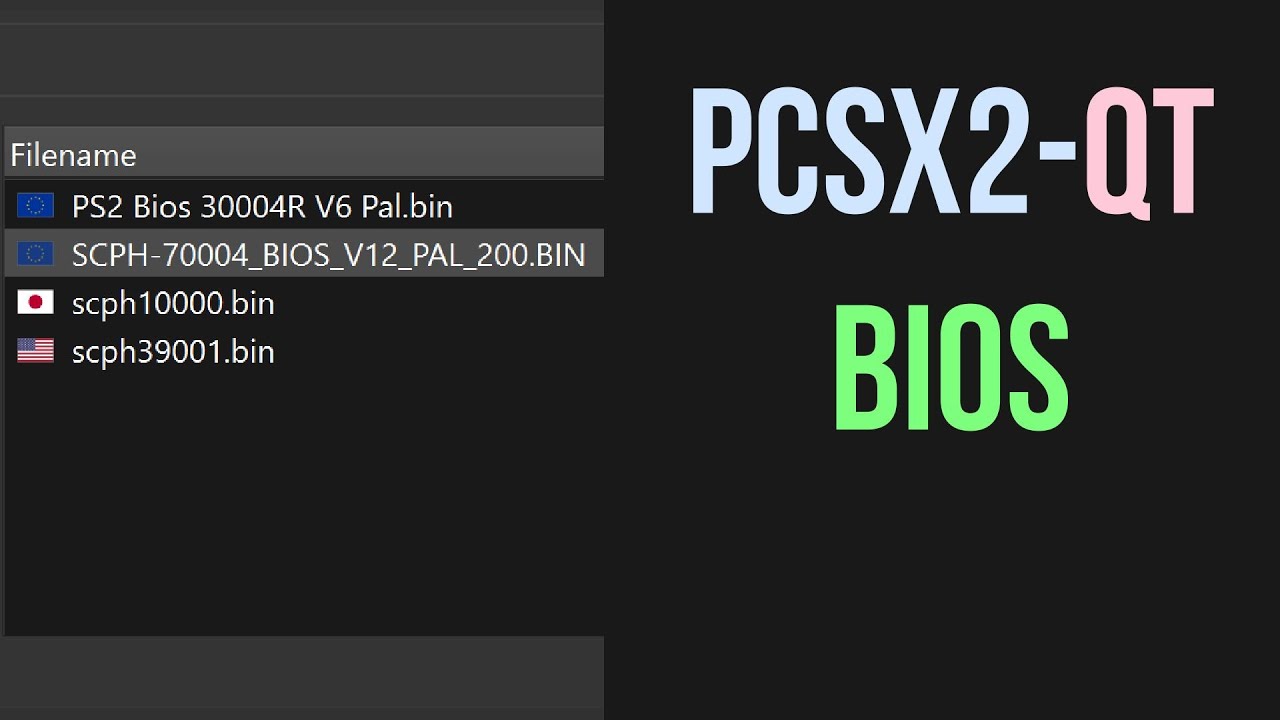
As gaming technology advanced, the PS2 became a candidate for emulation—running PS2 games on other devices like PCs or newer consoles. Emulators like PCSX2 depend heavily on a copy of the PS2 BIOS to function correctly.

Why is this necessary? Emulators mimic the PS2 hardware through software, but the BIOS contains proprietary code that is critical for initializing the system and running games. Without the BIOS, emulators cannot replicate the PS2’s operating environment accurately.

However, acquiring a PS2 BIOS for emulation purposes raises legal and ethical questions. The BIOS is copyrighted by Sony, and distributing it without permission is illegal. Gamers are encouraged to dump the BIOS from their own PS2 consoles rather than downloading it from unofficial sources.

Different Versions of PS2 BIOS

Throughout the PS2’s lifespan, Sony released various BIOS versions tailored to different models, regions, and system updates. These BIOS versions vary slightly, primarily to accommodate hardware revisions and region-locking—a system that restricts games from one geographic area from running on consoles from another.

Region-locking was enforced by the BIOS to ensure that, for example, a Japanese PS2 wouldn’t play an American game disc. Some BIOS versions also improved system stability or added new features to support later games.

When using an emulator, choosing the correct BIOS version corresponding to your game region can be critical to ensure proper compatibility.

Challenges and Technical Insights

From a technical standpoint, the PS2 BIOS is a sophisticated piece of embedded software. It’s stored in a read-only memory chip inside the console, which means it can’t be easily altered or updated by users. This design protects the console’s security but also limits flexibility for enthusiasts and developers.

In the modding community, the BIOS is often a central focus. Modders have explored ways to bypass BIOS restrictions, allowing for custom firmware and homebrew applications—software developed by hobbyists rather than commercial companies. Such innovations expanded the PS2’s capabilities beyond what Sony originally intended.

The Future of PS2 BIOS

Though the PS2 is a legacy console, its BIOS remains a topic of interest for collectors, emulation fans, and retro gaming enthusiasts. Emulators continue to improve, allowing players to experience PS2 classics with enhanced graphics and performance on modern hardware.

Moreover, the PS2 BIOS serves as a case study in console design—highlighting how firmware can blend hardware management with security and user experience in a compact system.

Conclusion

The PS2 BIOS is the unsung hero of the PlayStation 2’s success. It’s the essential code that wakes the console up, ensures games run correctly, and guards against unauthorized use. Understanding the BIOS sheds light on the inner workings of one of the most beloved gaming machines ever created.

Unlocking the Secrets of PS2 BIOS: The Heart of PlayStation 2 Gaming

57
2025-08-10 07:20:18


The PlayStation 2, or PS2, stands as one of the most iconic gaming consoles in history. Launched by Sony in 2000, it revolutionized the gaming world with its powerful hardware and an extensive game library. But behind the scenes of this gaming marvel lies a crucial component known as the ps2 bios—an often overlooked but essential piece of technology that enables the console to function. This article delves into the world of PS2 BIOS, explaining what it is, how it works, why it matters, and its relevance in both the original console and emulation communities.

What Is PS2 BIOS?

BIOS stands for Basic Input/Output System. In the context of the PS2, the BIOS is a firmware—a low-level software embedded inside the console’s memory. It acts as a bridge between the hardware and the software, essentially controlling how the PlayStation 2 boots up and runs games. When you power on your PS2, the BIOS initializes the hardware components and loads the system menu, from which you can start games, adjust settings, or insert memory cards.

The PS2 BIOS contains essential system code, including security measures, hardware instructions, and the initial operating environment. Without the BIOS, the console simply cannot operate. It’s like the brain that tells the PS2 how to interpret inputs and execute games.

The Role of PS2 BIOS in Console Operation

When you press the power button on a PS2, the BIOS kicks into action immediately. It performs several critical functions:

  1. Hardware Initialization: The BIOS sets up the hardware components such as the CPU, GPU, memory, and DVD drive, making sure they’re ready to run games smoothly.

  2. Security and Authentication: Sony designed the PS2 BIOS with security features to prevent unauthorized games or software from running on the console. It checks the game discs to verify they are genuine and compatible.

  3. System Menu Management: The BIOS loads the PS2’s system menu, which allows users to navigate options like game loading, memory card management, and hardware settings.

  4. Game Booting: After all checks, the BIOS hands control over to the game code stored on the disc, enabling gameplay.

Why Is PS2 BIOS Important?

Beyond simply powering on the console, the ps2 bios is integral to maintaining the overall security and integrity of the system. Its authentication mechanisms helped Sony combat piracy and ensured that only licensed games could be played on the PS2. This was a big deal in the early 2000s when piracy was a major threat to console manufacturers.

In addition, the BIOS provides a standardized interface between hardware and games. Game developers rely on the BIOS to handle essential functions like reading discs or saving progress to memory cards, making development more straightforward and consistent across titles.

PS2 BIOS in the World of Emulation

As gaming technology advanced, the PS2 became a candidate for emulation—running PS2 games on other devices like PCs or newer consoles. Emulators like PCSX2 depend heavily on a copy of the PS2 BIOS to function correctly.

Why is this necessary? Emulators mimic the PS2 hardware through software, but the BIOS contains proprietary code that is critical for initializing the system and running games. Without the BIOS, emulators cannot replicate the PS2’s operating environment accurately.

However, acquiring a PS2 BIOS for emulation purposes raises legal and ethical questions. The BIOS is copyrighted by Sony, and distributing it without permission is illegal. Gamers are encouraged to dump the BIOS from their own PS2 consoles rather than downloading it from unofficial sources.

Different Versions of PS2 BIOS

Throughout the PS2’s lifespan, Sony released various BIOS versions tailored to different models, regions, and system updates. These BIOS versions vary slightly, primarily to accommodate hardware revisions and region-locking—a system that restricts games from one geographic area from running on consoles from another.

Region-locking was enforced by the BIOS to ensure that, for example, a Japanese PS2 wouldn’t play an American game disc. Some BIOS versions also improved system stability or added new features to support later games.

When using an emulator, choosing the correct BIOS version corresponding to your game region can be critical to ensure proper compatibility.

Challenges and Technical Insights

From a technical standpoint, the PS2 BIOS is a sophisticated piece of embedded software. It’s stored in a read-only memory chip inside the console, which means it can’t be easily altered or updated by users. This design protects the console’s security but also limits flexibility for enthusiasts and developers.

In the modding community, the BIOS is often a central focus. Modders have explored ways to bypass BIOS restrictions, allowing for custom firmware and homebrew applications—software developed by hobbyists rather than commercial companies. Such innovations expanded the PS2’s capabilities beyond what Sony originally intended.

The Future of PS2 BIOS

Though the PS2 is a legacy console, its BIOS remains a topic of interest for collectors, emulation fans, and retro gaming enthusiasts. Emulators continue to improve, allowing players to experience PS2 classics with enhanced graphics and performance on modern hardware.

Moreover, the PS2 BIOS serves as a case study in console design—highlighting how firmware can blend hardware management with security and user experience in a compact system.

Conclusion

The PS2 BIOS is the unsung hero of the PlayStation 2’s success. It’s the essential code that wakes the console up, ensures games run correctly, and guards against unauthorized use. Understanding the BIOS sheds light on the inner workings of one of the most beloved gaming machines ever created.

Comments

Recommended

SmartSchoolBoy9: Revolutionizing the Way Students Learn
V_DVOE1FVQ
101
Unlocking the Power of Salicylic Acid Serums in Pakistan: A Deep Dive into Skincare Innovation
V_DVOE1FVQ
135
The Rise of Casual Wear: A Fashion Revolution for Comfort and Style
V_DVOE1FVQ
134
Download Vipon App to get great deals now!
...
Amazon Coupons Loading…