Exclusive
To get our best deals and discounts Subscribe Below!
Continue As A Guest
Continue As A Guest
Updata
Hey! Thank you so much for your support and quality posts for V Show!
And congratulations on becoming our Vipon Associated Editor.
From now on, in addition to getting 10 points for each post (up to 30 points daily), we will regularly review each of your articles, and each approved article (tagged with Featured label) will be paid an additional $50.
Note: Not all articles you posted will get $50, only those that meet our requirements will be paid, and articles or contents that do not meet the requirements will be removed.
Please continue to produce high quality content for organic likes. Our shoppers love seeing your stories & posts!
Congratulations! Your V SHOW post Planting Tips has become our Featured content, we will pay $50 for this post. Please check on your balance. Please continue to produce high quality original content!

Imagine a craftsman creating custom signs. They need clean edges and precise cuts, but they face a choice: a laser cutter for acrylic or a router. Both tools get the job done, but how they work and what they can achieve are very different. This article breaks down the differences between these two popular tools.
How They Work
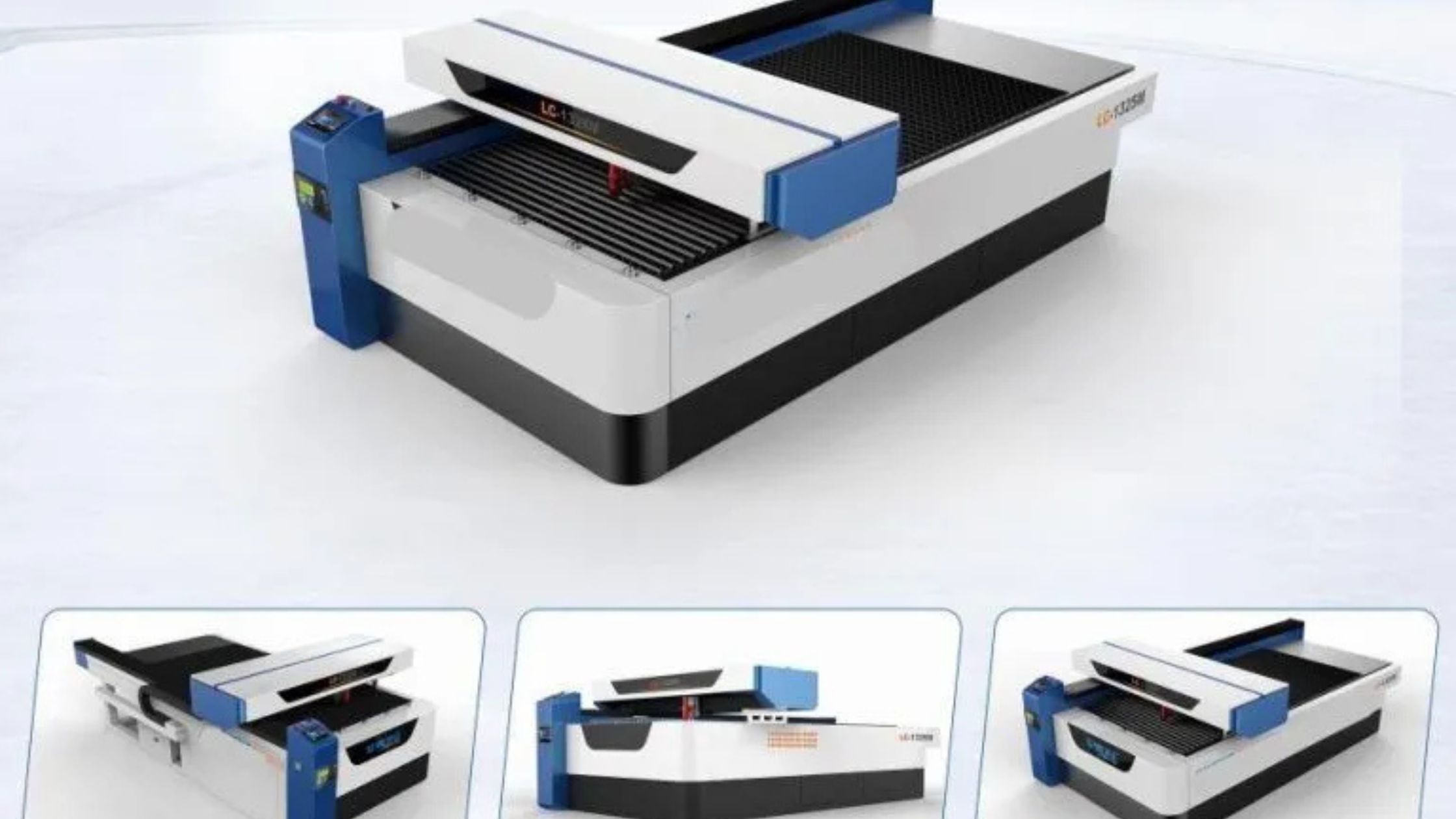
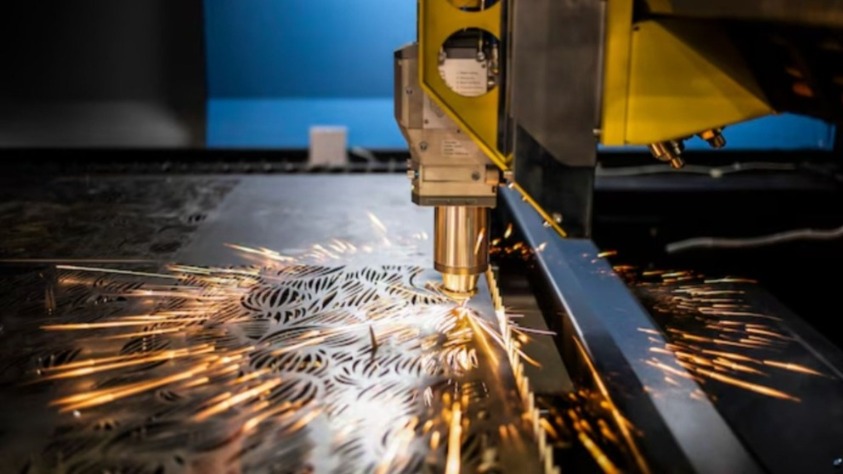
A laser cutter uses a concentrated beam of light to cut or engrave materials. This tool is popular for detailed designs and works well on thin sheets, such as acrylic and sheet metal. It vaporizes the material, leaving smooth edges with little to no clean-up.
On the other hand, a router relies on a spinning bit to carve through materials. It’s a mechanical process that removes material by cutting or shaving. Routers excel in shaping thicker materials like wood and can handle 3D cutting tasks.
Material Compatibility
If you’re working with materials like acrylic, sheet metal, or fabric, laser cutters shine. They can handle delicate projects and cut through tough metals with ease. The ability to engrave intricate patterns makes them a favorite for detailed tasks.
Routers are better suited for wood, foam, and plastics. They are often used in furniture making and large-scale projects. While they can cut through some metals, they don’t match the efficiency of laser cutters for thinner materials.
Speed and Efficiency
Laser cutters are faster when dealing with thin and flat materials. They can cut complex shapes in a single pass. For example, a laser cutter for sheet metal can complete intricate tasks in minutes.
Routers are slower because they rely on a rotating bit. However, for larger or thicker materials, their mechanical approach is more effective.
Edge Finish
The finish left by these tools differs significantly. Laser cutters leave smooth, polished edges because the material is melted rather than chipped. This is especially true for materials like acrylic, where the edges look clean and professional right after cutting.
Routers, on the other hand, leave rougher edges that may need sanding or finishing. This is because the rotating bit removes material in chunks.
Cost and Maintenance
Laser cutters tend to have a higher upfront cost. They also require proper ventilation systems to handle fumes, especially when cutting sheet metal. Maintenance usually involves cleaning the lens and mirrors.
Routers are generally less expensive to purchase. However, their bits wear out faster, especially when used on hard materials. Regular bit replacement and occasional lubrication keep them running smoothly.
Which One Should You Choose?
Your choice depends on your project needs. If you’re cutting thin materials like acrylic or working on small, detailed designs, a laser cutter is ideal. For thicker materials or projects that need shaping, a router is better.
Both tools have their strengths. Understanding their differences can help you make the right decision for your tasks. Whether it’s a laser cutter for delicate sheet metal or a router for sturdy wood, each tool brings something valuable to the table.
Wrapping Up
Choosing between a laser cutter and a router comes down to the type of material and the kind of project you're working on. A laser cutter for acrylic is perfect for sleek designs and detailed cuts, especially on thinner materials. Meanwhile, a router is ideal for shaping thicker materials like wood and creating three-dimensional designs. Both tools have unique strengths, and understanding their differences can help you achieve the best results for your creative or professional needs.

Imagine a craftsman creating custom signs. They need clean edges and precise cuts, but they face a choice: a laser cutter for acrylic or a router. Both tools get the job done, but how they work and what they can achieve are very different. This article breaks down the differences between these two popular tools.
How They Work
A laser cutter uses a concentrated beam of light to cut or engrave materials. This tool is popular for detailed designs and works well on thin sheets, such as acrylic and sheet metal. It vaporizes the material, leaving smooth edges with little to no clean-up.
On the other hand, a router relies on a spinning bit to carve through materials. It’s a mechanical process that removes material by cutting or shaving. Routers excel in shaping thicker materials like wood and can handle 3D cutting tasks.
Material Compatibility
If you’re working with materials like acrylic, sheet metal, or fabric, laser cutters shine. They can handle delicate projects and cut through tough metals with ease. The ability to engrave intricate patterns makes them a favorite for detailed tasks.
Routers are better suited for wood, foam, and plastics. They are often used in furniture making and large-scale projects. While they can cut through some metals, they don’t match the efficiency of laser cutters for thinner materials.
Speed and Efficiency
Laser cutters are faster when dealing with thin and flat materials. They can cut complex shapes in a single pass. For example, a laser cutter for sheet metal can complete intricate tasks in minutes.
Routers are slower because they rely on a rotating bit. However, for larger or thicker materials, their mechanical approach is more effective.
Edge Finish
The finish left by these tools differs significantly. Laser cutters leave smooth, polished edges because the material is melted rather than chipped. This is especially true for materials like acrylic, where the edges look clean and professional right after cutting.
Routers, on the other hand, leave rougher edges that may need sanding or finishing. This is because the rotating bit removes material in chunks.
Cost and Maintenance
Laser cutters tend to have a higher upfront cost. They also require proper ventilation systems to handle fumes, especially when cutting sheet metal. Maintenance usually involves cleaning the lens and mirrors.
Routers are generally less expensive to purchase. However, their bits wear out faster, especially when used on hard materials. Regular bit replacement and occasional lubrication keep them running smoothly.
Which One Should You Choose?
Your choice depends on your project needs. If you’re cutting thin materials like acrylic or working on small, detailed designs, a laser cutter is ideal. For thicker materials or projects that need shaping, a router is better.
Both tools have their strengths. Understanding their differences can help you make the right decision for your tasks. Whether it’s a laser cutter for delicate sheet metal or a router for sturdy wood, each tool brings something valuable to the table.
Wrapping Up
Choosing between a laser cutter and a router comes down to the type of material and the kind of project you're working on. A laser cutter for acrylic is perfect for sleek designs and detailed cuts, especially on thinner materials. Meanwhile, a router is ideal for shaping thicker materials like wood and creating three-dimensional designs. Both tools have unique strengths, and understanding their differences can help you achieve the best results for your creative or professional needs.
Are you sure you want to stop following?
Loading…
Congrats! You are now a member!
Start requesting vouchers for promo codes by clicking the Request Deal buttons on products you want.
Sellers of Amazon products are required to sign in at www.amztracker.com
More information about placing your products on this site can be found here.
Are you having problems purchasing a product with the supplied voucher? If so, please contact the seller via the supplied email.
Also, please be patient. Sellers are pretty busy people and it can take awhile to respond to your emails.
After 2 days of receiving a voucher you can report the seller to us (using the same button) if you cannot resolve this issue with the seller.
For more information click here.
We have taken note and will also convey the problems to the seller on your behalf.
Usually the seller will rectify it soon, we suggest now you can remove this request from your dashboard and choose another deal.
If you love this deal most, we suggest you can try to request this deal after 2 days.
This will mark the product as purchased. The voucher will be permanently removed from your dashboard shortly after. Are you sure?
You are essentially competing with a whole lot of other buyers when requesting to purchase a product. The seller only has a limited amount of vouchers to give out too.
Select All Groups
✕
Adult Products
Arts, Crafts & Sewing
Automotive & Industrial
Beauty & Grooming
Cell Phones & Accessories
Electronics & Office
Health & Household
Home & Garden
Jewelry
Kitchen & Dining
Men's Clothing & Shoes
Pet Supplies
Sports & Outdoors
Toys, Kids & Baby
Watches
Women's Clothing & Shoes
Other
Adult Products
©Copyright 2026 Vipon All Right Reserved · Privacy Policy · Terms of Service · Do Not Sell My Personal Information
Certain content in this page comes from Amazon. The content is provided as is, and is subject
to change or removal at
any time. Amazon and the Amazon logo are trademarks of Amazon.com,
Inc. or its affiliates.
Comments