Exclusive
To get our best deals and discounts Subscribe Below!
Continue As A Guest
Continue As A Guest
Updata
Hey! Thank you so much for your support and quality posts for V Show!
And congratulations on becoming our Vipon Associated Editor.
From now on, in addition to getting 10 points for each post (up to 30 points daily), we will regularly review each of your articles, and each approved article (tagged with Featured label) will be paid an additional $50.
Note: Not all articles you posted will get $50, only those that meet our requirements will be paid, and articles or contents that do not meet the requirements will be removed.
Please continue to produce high quality content for organic likes. Our shoppers love seeing your stories & posts!
Congratulations! Your V SHOW post Planting Tips has become our Featured content, we will pay $50 for this post. Please check on your balance. Please continue to produce high quality original content!
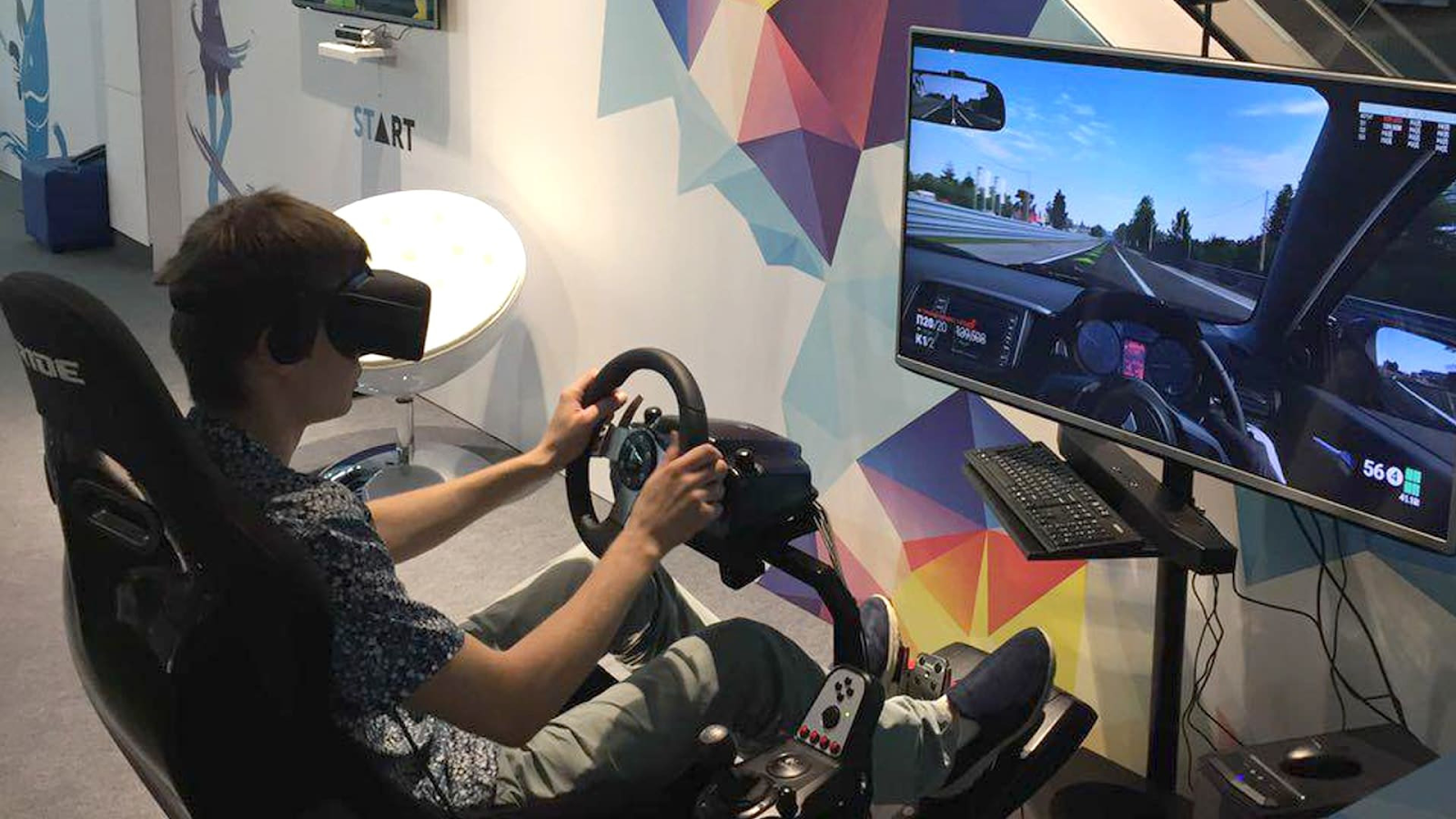
Virtual reality (VR) gaming has swept the globe. If you wish to venture into new worlds or immerse yourself in your favorite video games in a whole new dimension, VR provides an experience like no other. But to play VR games smoothly, you require the proper hardware.
The processor, or CPU, is one of the most critical components of your PC for VR gaming. Many individuals are questioning whether an Intel Core i5 is sufficient for VR gaming or whether they can use the Intel Core i7 instead. They are both good processors, but each excels at different things.
Here in this article, we will compare the i5 and the i7 for VR gaming.
A processor, or CPU, manages everything on your computer. It ensures your game doesn't lag. VR gaming requires more power because it has two screens, one for each eye. As a result, the processor will have to do more work than it would during normal gaming.
Choose a modern, high-performance processor, such as an Intel Core i7, which prioritizes single-core frequency over multiple cores/threads.
This is where the i5 vs i7 gaming debate steps in. The stronger i7 can better deal with the extra load of VR gaming compared to the i5, providing a smoother experience for these heavy sessions.
When you imagine an i5, imagine a sturdy, dependable processor that just works. The Intel Core i5 processor is the middle tier for most PCs. It's not the best, but it's not the worst either. It comes with four to six cores, which means it can process a ton of things simultaneously.
The i5 is ideal for a variety of VR games. If you’re playing games that don’t have super high demands, the i5 will keep up with the action.
For example, you will have no trouble playing light VR games like Beat Saber or Fruit Ninja VR. These games don’t have the most complex graphics, so an i5 can easily handle them.
It can play most VR games smoothly
Some virtual reality games may stutter or lag.
Suitable for budget gamers looking to experiment with VR
The Intel Core i7 processor is an improvement over the i5. It features additional cores (typically 6 to 8) and increased speed, making the i7 high-performance oriented.
It has a greater capacity to perform tasks concurrently, which is critical when running resource-intensive games like VR. For more fluid gameplay when playing high-end VR games, the i7 is a great powerhouse.
When you play more advanced VR games, like Star Wars: Squadrons or No Man's Sky VR, the i7 can deliver enhanced performance. The extra cores and overall improved performance make the i7 capable of handling the high speeds of these games without stuttering or lag.
Plays high-end VR games with no lag
Can perform multiple tasks simultaneously
Future-proof for new VR games
Another benefit of the i7 is that it's excellent for multitasking. If you want to stream and play VR simultaneously, the i7 can do so without lagging. If you have background applications such as music or a video call with friends, the i7 will ensure everything runs smoothly while gaming.
Excellent for Streaming: The i7 allows you to stream while playing VR without any performance dips.
Supports Multiple Programs: You can play games and have other applications running, and the i7 will handle it.
So, if you intend to use your PC for purposes other than gaming, the i7 is the way to go. It's prepared to do whatever you can throw at it.
Now that we've reviewed both processors, you may be asking yourself which one i5 vs. i7 for gaming is for you. Here's a brief rundown to help you make up your mind:
If you are new to VR or do not wish to break the bank, the i5 is still an excellent option. It will handle most VR games without any problems, particularly the less demanding ones. But if you play demanding VR games or want to run multiple programs simultaneously, you may face some issues.
If you can afford it and desire the best performance, the i7 is the route to take. It will run all types of VR games, from basic to advanced, without any issues. It will provide you with smoother gameplay, improved frame rates, and a better overall experience.
So, is an i5 sufficient for VR gaming, or do you need to upgrade to an i7? It all depends on your requirements.
i5 is perfect for casual VR gaming
i7 is more suitable for high-end, future-proof gaming
If you play light VR games, an i5 is sufficient
If you desire top-class performance, use an i7
Ultimately, both processors will work with VR, but an i7 provides you with the smoothest experience. If you desire no stuttering, quicker loading, and future gaming-proofing, then the i7 is the superior choice. However, if you're budget-conscious and play less demanding VR titles, the i5 will still be able to function.
Now it's up to you! Will you hold out for an i5, or is an i7 what you're looking for in your VR escapades?
Read more: What’s the Difference Between Intel i5 and i7 for Gaming?
Virtual reality (VR) gaming has swept the globe. If you wish to venture into new worlds or immerse yourself in your favorite video games in a whole new dimension, VR provides an experience like no other. But to play VR games smoothly, you require the proper hardware.
The processor, or CPU, is one of the most critical components of your PC for VR gaming. Many individuals are questioning whether an Intel Core i5 is sufficient for VR gaming or whether they can use the Intel Core i7 instead. They are both good processors, but each excels at different things.
Here in this article, we will compare the i5 and the i7 for VR gaming.
A processor, or CPU, manages everything on your computer. It ensures your game doesn't lag. VR gaming requires more power because it has two screens, one for each eye. As a result, the processor will have to do more work than it would during normal gaming.
Choose a modern, high-performance processor, such as an Intel Core i7, which prioritizes single-core frequency over multiple cores/threads.
This is where the i5 vs i7 gaming debate steps in. The stronger i7 can better deal with the extra load of VR gaming compared to the i5, providing a smoother experience for these heavy sessions.
When you imagine an i5, imagine a sturdy, dependable processor that just works. The Intel Core i5 processor is the middle tier for most PCs. It's not the best, but it's not the worst either. It comes with four to six cores, which means it can process a ton of things simultaneously.
The i5 is ideal for a variety of VR games. If you’re playing games that don’t have super high demands, the i5 will keep up with the action.
For example, you will have no trouble playing light VR games like Beat Saber or Fruit Ninja VR. These games don’t have the most complex graphics, so an i5 can easily handle them.
It can play most VR games smoothly
Some virtual reality games may stutter or lag.
Suitable for budget gamers looking to experiment with VR
The Intel Core i7 processor is an improvement over the i5. It features additional cores (typically 6 to 8) and increased speed, making the i7 high-performance oriented.
It has a greater capacity to perform tasks concurrently, which is critical when running resource-intensive games like VR. For more fluid gameplay when playing high-end VR games, the i7 is a great powerhouse.
When you play more advanced VR games, like Star Wars: Squadrons or No Man's Sky VR, the i7 can deliver enhanced performance. The extra cores and overall improved performance make the i7 capable of handling the high speeds of these games without stuttering or lag.
Plays high-end VR games with no lag
Can perform multiple tasks simultaneously
Future-proof for new VR games
Another benefit of the i7 is that it's excellent for multitasking. If you want to stream and play VR simultaneously, the i7 can do so without lagging. If you have background applications such as music or a video call with friends, the i7 will ensure everything runs smoothly while gaming.
Excellent for Streaming: The i7 allows you to stream while playing VR without any performance dips.
Supports Multiple Programs: You can play games and have other applications running, and the i7 will handle it.
So, if you intend to use your PC for purposes other than gaming, the i7 is the way to go. It's prepared to do whatever you can throw at it.
Now that we've reviewed both processors, you may be asking yourself which one i5 vs. i7 for gaming is for you. Here's a brief rundown to help you make up your mind:
If you are new to VR or do not wish to break the bank, the i5 is still an excellent option. It will handle most VR games without any problems, particularly the less demanding ones. But if you play demanding VR games or want to run multiple programs simultaneously, you may face some issues.
If you can afford it and desire the best performance, the i7 is the route to take. It will run all types of VR games, from basic to advanced, without any issues. It will provide you with smoother gameplay, improved frame rates, and a better overall experience.
So, is an i5 sufficient for VR gaming, or do you need to upgrade to an i7? It all depends on your requirements.
i5 is perfect for casual VR gaming
i7 is more suitable for high-end, future-proof gaming
If you play light VR games, an i5 is sufficient
If you desire top-class performance, use an i7
Ultimately, both processors will work with VR, but an i7 provides you with the smoothest experience. If you desire no stuttering, quicker loading, and future gaming-proofing, then the i7 is the superior choice. However, if you're budget-conscious and play less demanding VR titles, the i5 will still be able to function.
Now it's up to you! Will you hold out for an i5, or is an i7 what you're looking for in your VR escapades?
Read more: What’s the Difference Between Intel i5 and i7 for Gaming?
Are you sure you want to stop following?
Loading…
Congrats! You are now a member!
Start requesting vouchers for promo codes by clicking the Request Deal buttons on products you want.
Sellers of Amazon products are required to sign in at www.amztracker.com
More information about placing your products on this site can be found here.
Are you having problems purchasing a product with the supplied voucher? If so, please contact the seller via the supplied email.
Also, please be patient. Sellers are pretty busy people and it can take awhile to respond to your emails.
After 2 days of receiving a voucher you can report the seller to us (using the same button) if you cannot resolve this issue with the seller.
For more information click here.
We have taken note and will also convey the problems to the seller on your behalf.
Usually the seller will rectify it soon, we suggest now you can remove this request from your dashboard and choose another deal.
If you love this deal most, we suggest you can try to request this deal after 2 days.
This will mark the product as purchased. The voucher will be permanently removed from your dashboard shortly after. Are you sure?
You are essentially competing with a whole lot of other buyers when requesting to purchase a product. The seller only has a limited amount of vouchers to give out too.
Select All Groups
✕
Adult Products
Arts, Crafts & Sewing
Automotive & Industrial
Beauty & Grooming
Cell Phones & Accessories
Electronics & Office
Health & Household
Home & Garden
Jewelry
Kitchen & Dining
Men's Clothing & Shoes
Pet Supplies
Sports & Outdoors
Toys, Kids & Baby
Watches
Women's Clothing & Shoes
Other
Adult Products
©Copyright 2026 Vipon All Right Reserved · Privacy Policy · Terms of Service · Do Not Sell My Personal Information
Certain content in this page comes from Amazon. The content is provided as is, and is subject
to change or removal at
any time. Amazon and the Amazon logo are trademarks of Amazon.com,
Inc. or its affiliates.
Comments